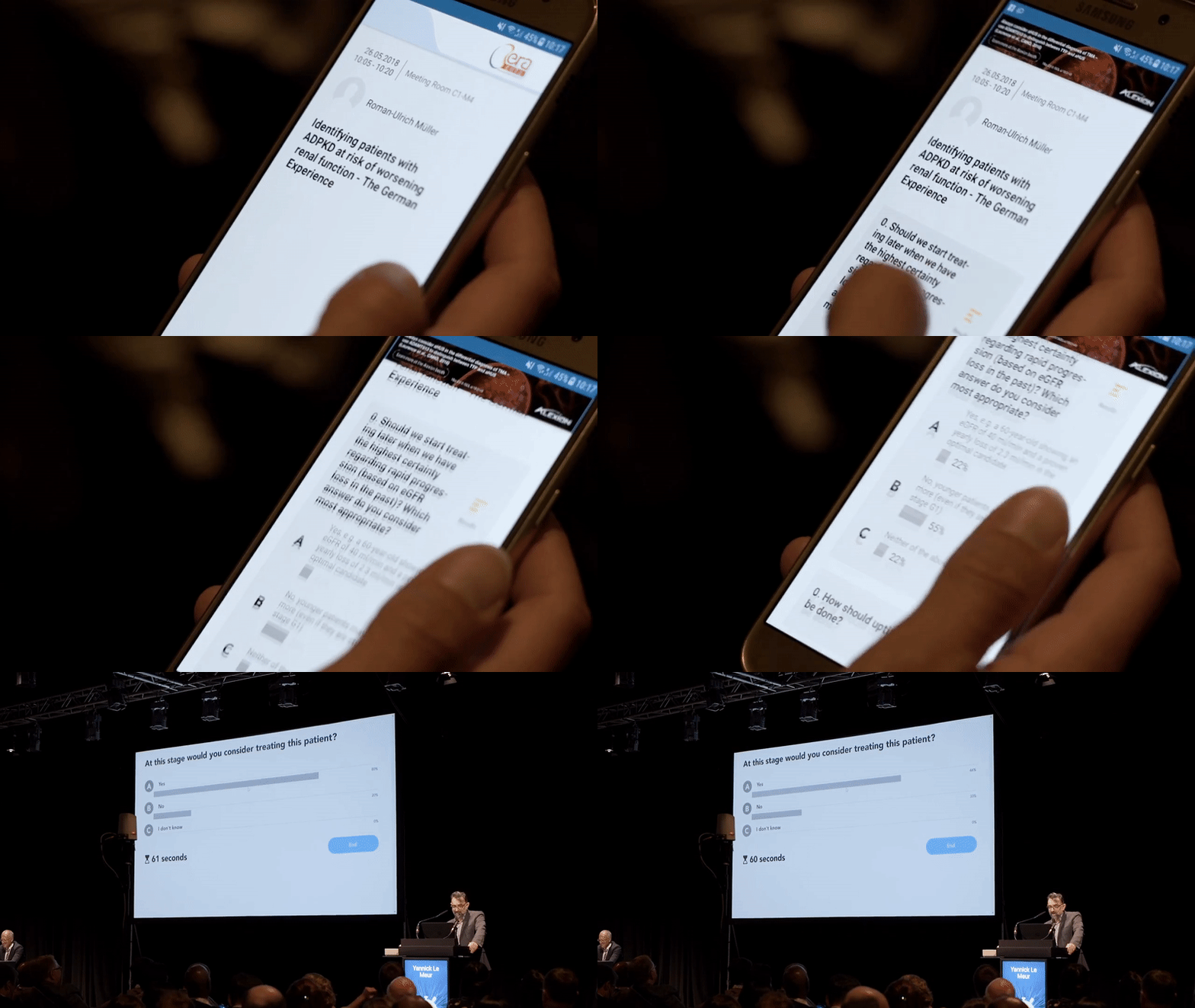


Live Voting System
INTRODUCTION
A simple solution for events that enables audience to participate in Live Voting during lectures.
MY ROLE
-
End-to-end involvement in feature design and development process;
-
Exploring possible solutions together with Tech Lead and Product Manager in order to deliver this service;
-
Working closely with web and mobile developers to make sure they understand feature and have everything they need to build this;
-
Working with audio-video team to make sure everything is well documented.
SITUATION
WHAT WE NEEDED TO ACHIEVE
-
Inform Users about this last-minute emerging service
-
Enable Speakers to setup their questions
-
Enable Users (audience) to vote during lectures
-
Display results in-room after each voting session
CHALLENGES
-
How to uniform questions display in Speakers' Presentation
-
How to trigger the voting session in-room
-
How to communicate the voting instructions before it starts
-
Determine Speakers' needs and the extent of the assistance required
-
Organizer asked to have the first completely functional MVP for their upcoming event
APPROACH
We reacted right away by asking ourselves these questions:

RESEARCH
Visitor Facts: Feedback from Visitors prior to the event showed that they looked forward to the opportunity to participate in Live Voting sessions.
Speaker Facts: In this particular situation Organizer asked Speakers to do the last minute preparation of these questions so Speakers felt somewhat obliged to do so.
USER PERSONAS
User Segment 01 - Speaker
Speakers have the most valuable role at these events because they bring precious thoughts and information to their direct and indirect audience. Since these events are mostly medical, these people have great responsibility in the field of healthcare.

SUPERSTAR
Confident, professional, open for innovation, but expects everything to work smoothly.

SCIENTIST
Modest, approachable, understanding, confident in their knowledge and doesn't mind if something goes wrong.

FRIGHTENED
Nervous about their lecture, perfectionist, doubting about digital tools, very frustated.

NOVICE
Mostly relaxed, not familiar with all the processes, doesn't rely on anything very much nor expects a lot.
User Segment 02 - Visitor

TRENDS FOLLOWER
Proactive, loves innovation and adopts it quickly; expects a lot from event services.

NORMAL DUDE
Interested & curious, needs to be well informed in order to use services.

INDIFFERENT
Uses only what is necessary, indifferent about digital services, medium conservative.

SUSPICIOUS MIND
Gives only one chance to digital service, very conservative, doesn't like to be asked to use something new.
This is how we answered the questions above:

USER JOURNEYS
User Journey 01 - Speaker

1
Speaker receives an e-mail about the Voting service with instructions and link to their Speaker Profile and is being asked to prepare questions.

2
Speaker sets up questions and answering options through their Profile on the system, downloads generated slides and imports them in the final presentation.

3
When Speaker, during the lecture, reaches the Question slide, they slick on START button and triggers the Voting session.

4
After the Voting is finished, Speaker can start the discussion with the audience about the results.
User Journey 02 - Visitor

1
Visitor reads the Voting instructions displayed on screen at the beginning of every Lecture Voting session.

2
When asked to vote, Visitor opens their Event Mobile App and picks the preferred answer after being prompted by the active Voting feature.

3
When Voting is finished, Visitor can see the results on the room screen and they can also access all the Voting session results through their Event Mobile App.
WIREFRAMES & MOCK-UPS


Voting Setup - APP

IMPACT
On Users:
-
Speakers got the opportunity to do the target research during the congress on some topic of their interest;
-
Visitors got the opportunity to participate in voting sessions and also to see the live results which are valuable information for them as well;
On Business:
-
Service has been successfully sold;
-
Innovation brought more value to the existing product - Event Mobile App;
-
Organizers showed great interest in this service because they saw an opportunity for User satisfaction increase with features it provides.